Inside XP

Inside Flow Ladder XP

See what is inside XP

A complete guided tour of the trading cockpit, order controls, performance monitoring, account workflow, themes, templates and deep DOM customization.

A complete product tour

Understand Flow Ladder XP inside and out

This page is dedicated to showing customers exactly how the platform works and what can be customized.

Trading cockpit

DOM, order flow, execution and positions in one focused workspace.

Performance tools

Risk, sequence P&L, MAE, MFE and execution monitoring.

Deep customization

Columns, buttons, fonts, colours, sessions and visual behaviour.

Templates and tabs

Save layouts, change instruments and organise multiple workspaces.

The trading cockpit

Everything you need in one focused workspace

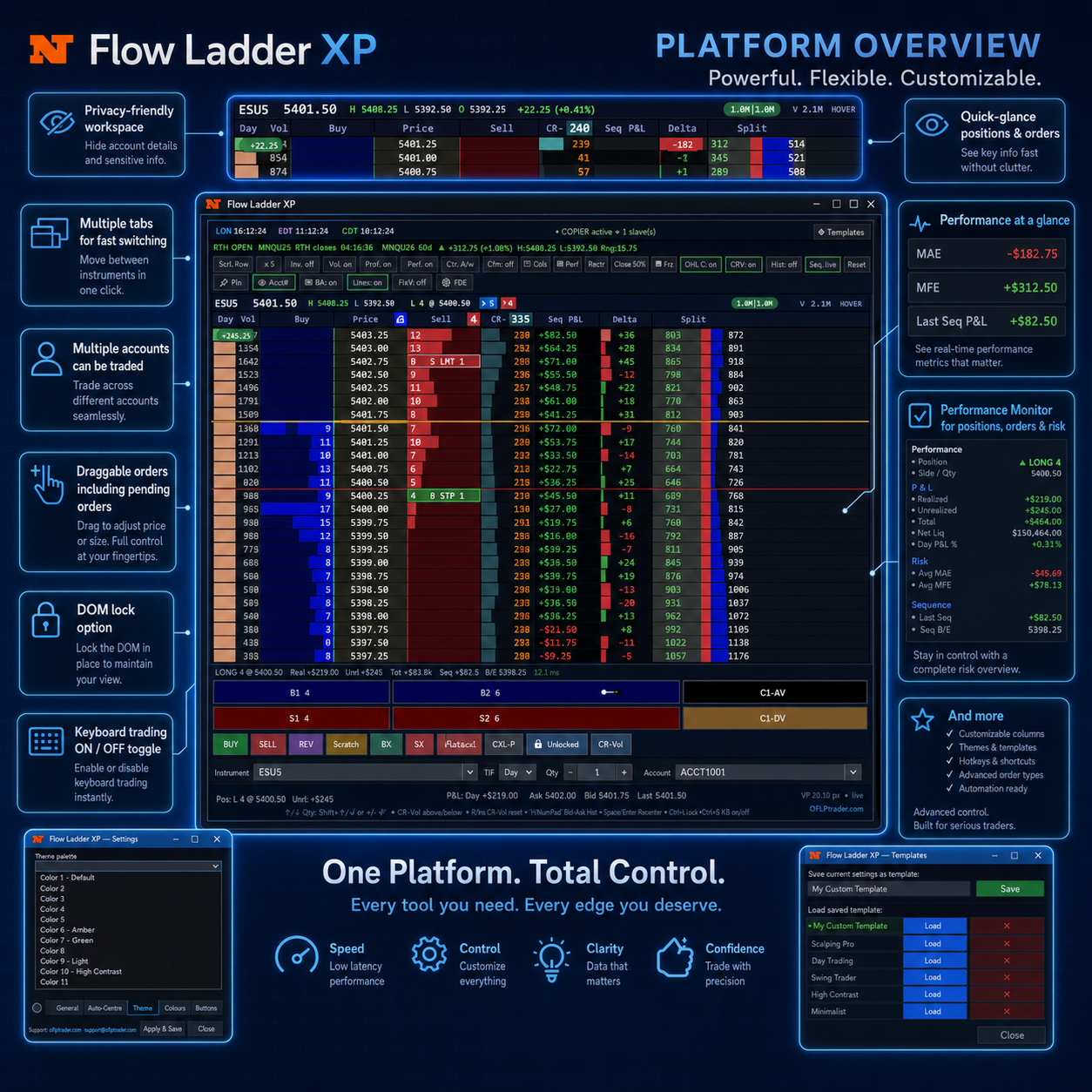
Flow Ladder XP puts the ladder, order flow, execution and position management together in a single clean cockpit.

A DOM built for order-flow trading

See resting liquidity, traded volume, delta and price-level activity in a fast, responsive ladder designed for live tape.
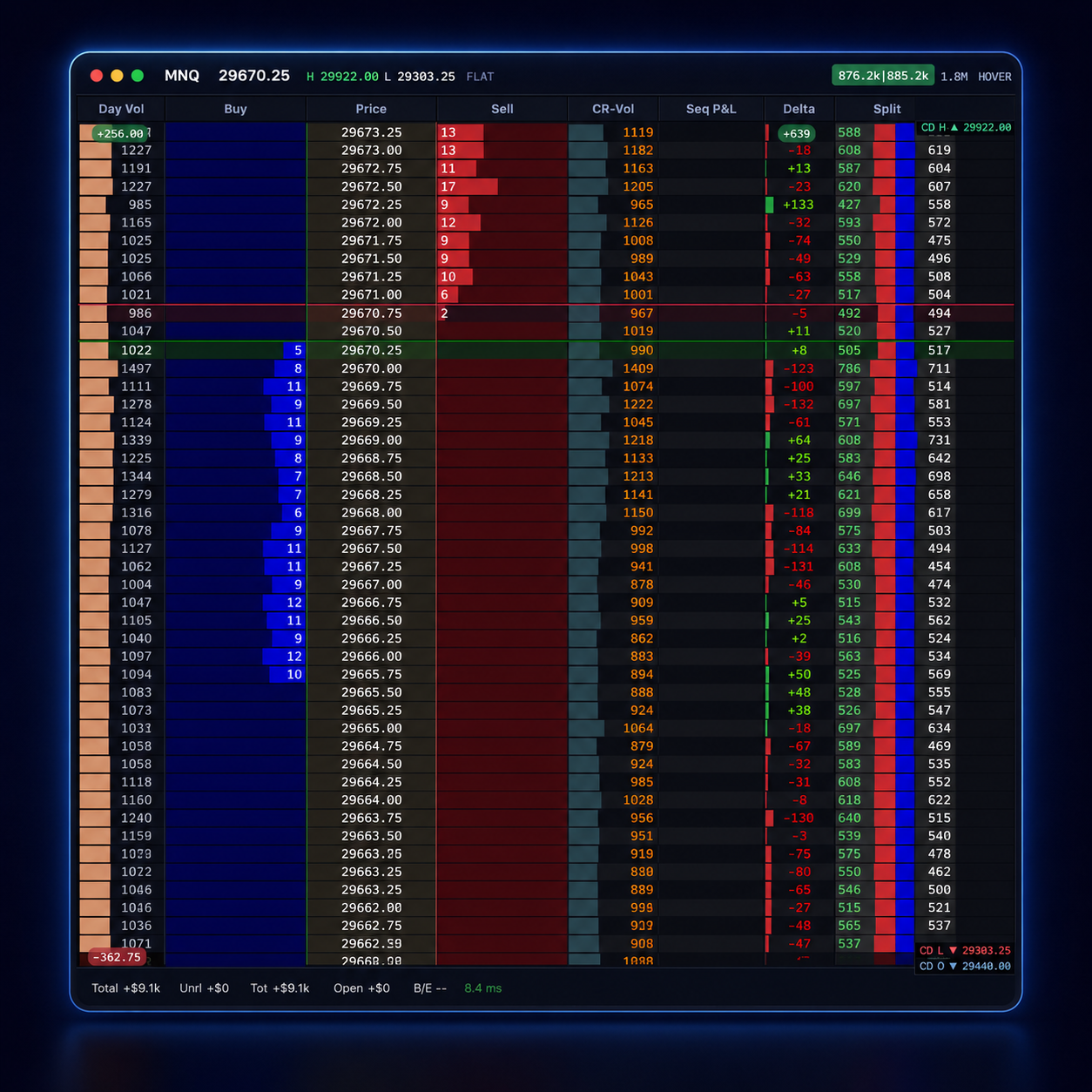
Depth of market with order-flow columns
One-click execution from the ladder
Live position and P&L on the DOM
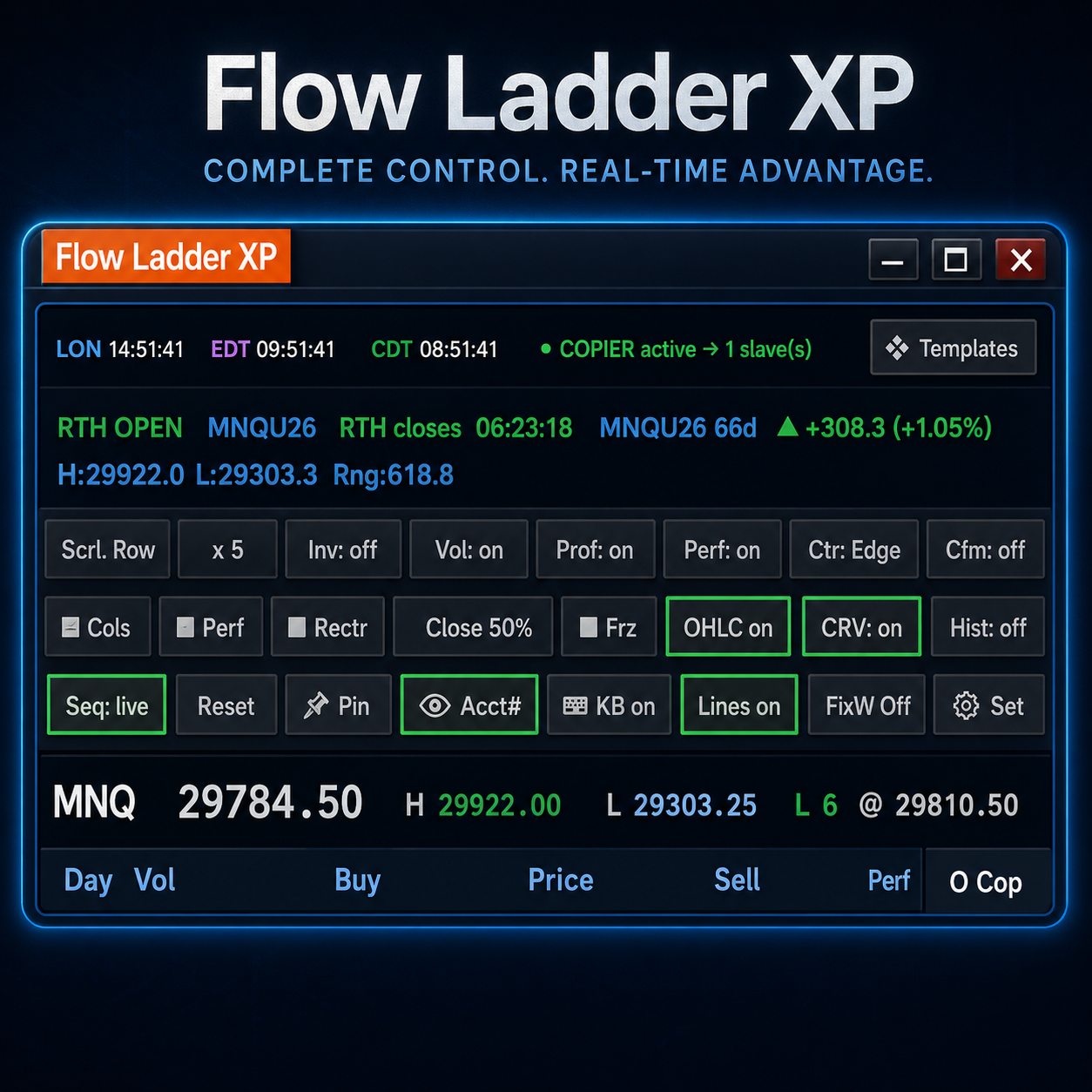
Flow Ladder XP trading cockpit

Fast, clear and distraction-free

The layout keeps the market front and centre while controls stay within reach for quick order management.
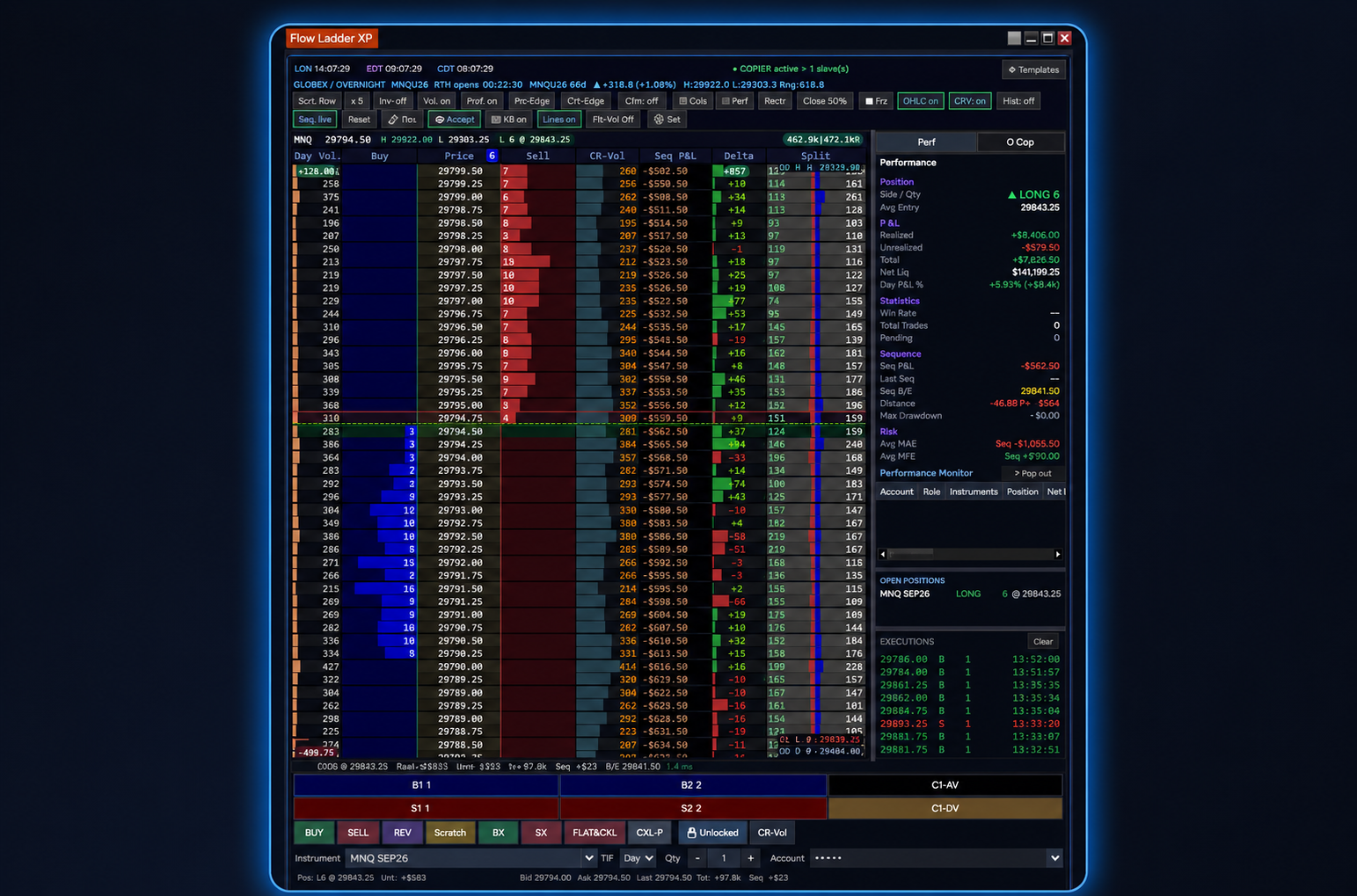
Flow Ladder XP cockpit controls
Performance and risk

Know what is happening while you trade

Flow Ladder XP keeps important performance, position and risk information visible beside the market.

Positions, P&L and sequence data at a glance

Monitor realised and unrealised P&L, MAE, MFE, last sequence P&L, drawdown, open positions and executions.
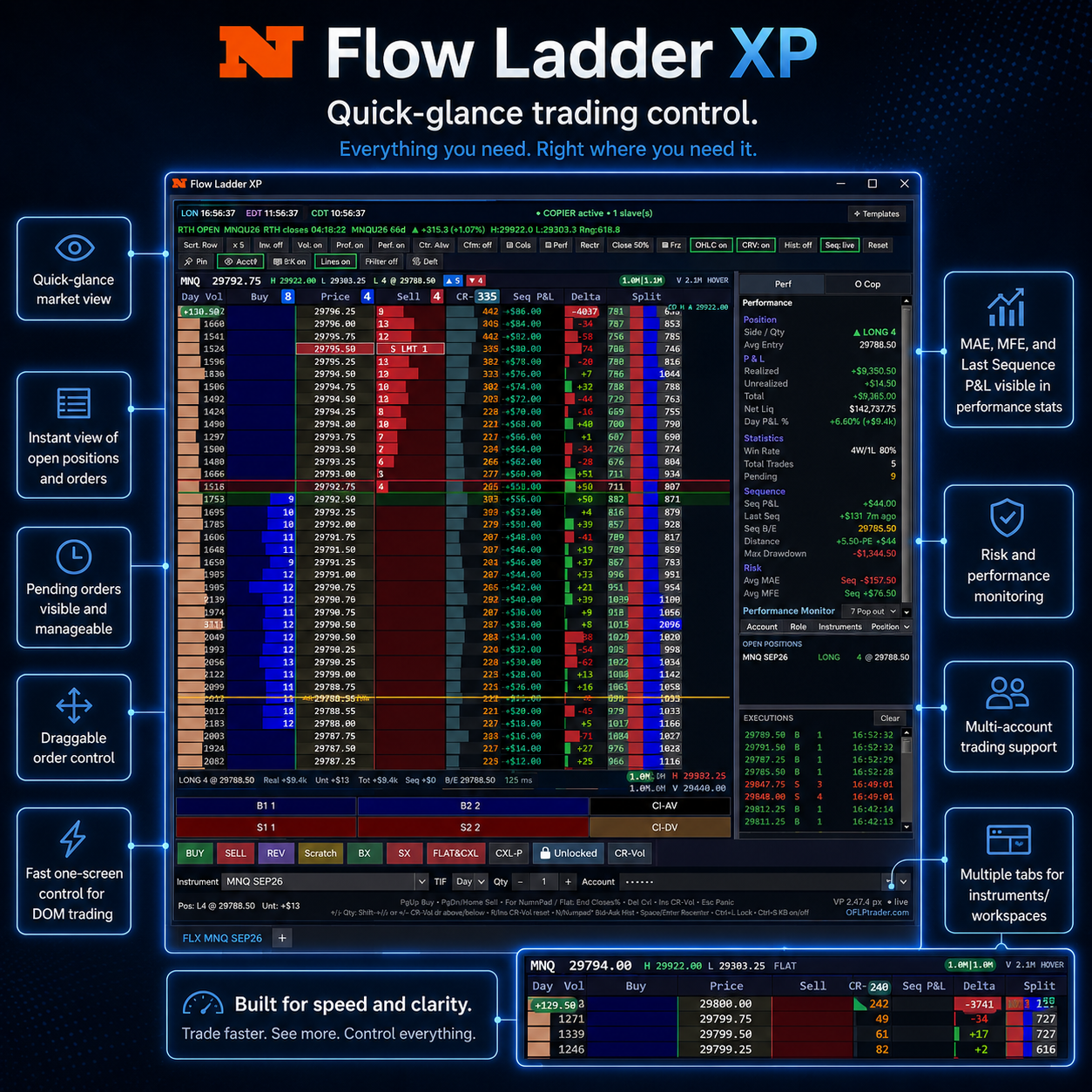
Live position overview
Pending order visibility
Sequence and risk statistics
Performance monitor panel
Flow Ladder XP performance and risk monitor

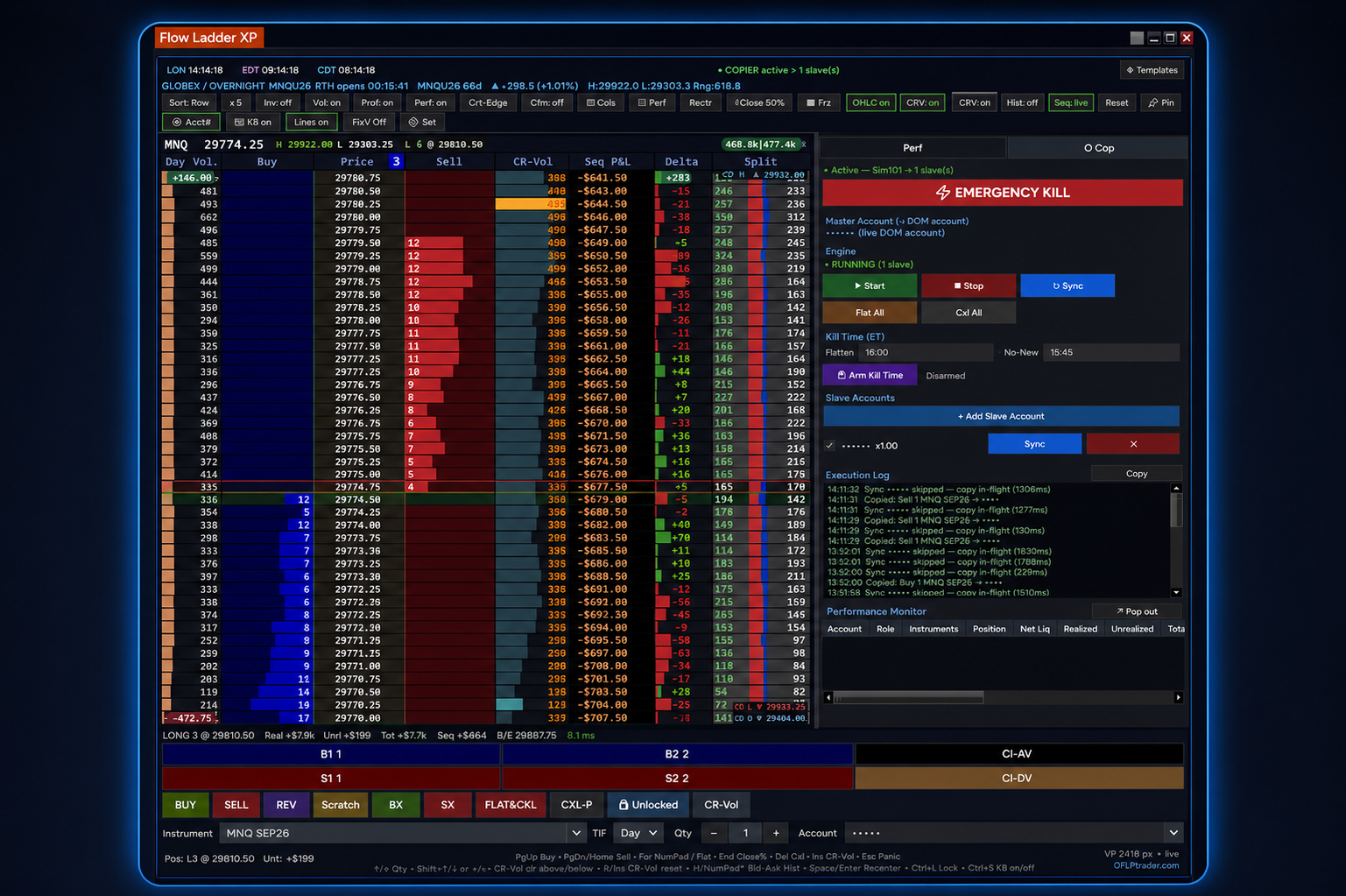
Emergency controls and supported account copying

Use dedicated controls for emergency flattening, cancellation and supported copy workflows without leaving the DOM.
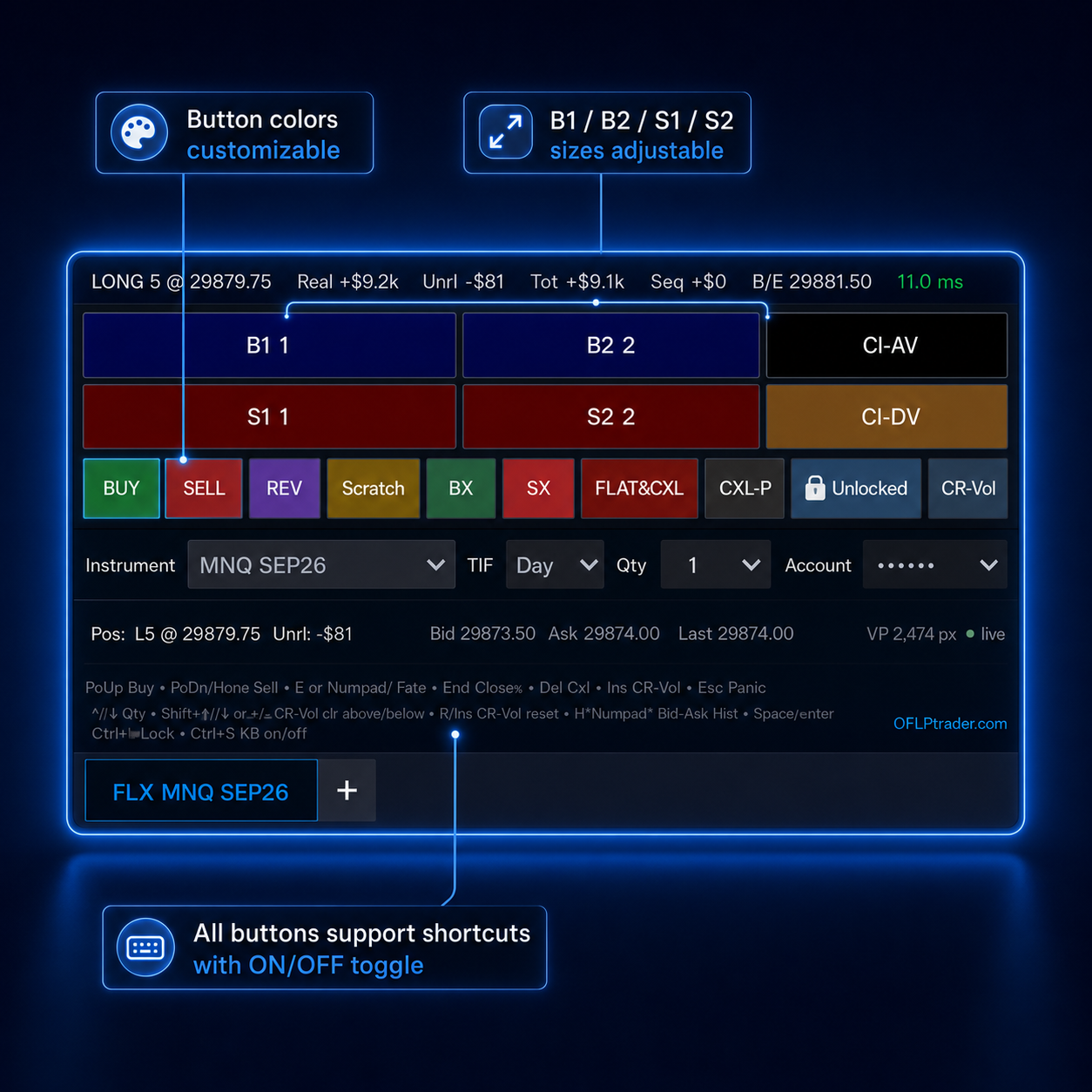
Flow Ladder XP emergency and copier controls
Deep customization

Make the DOM fit the trader

Every major area can be adjusted to improve clarity, workflow and visual comfort.

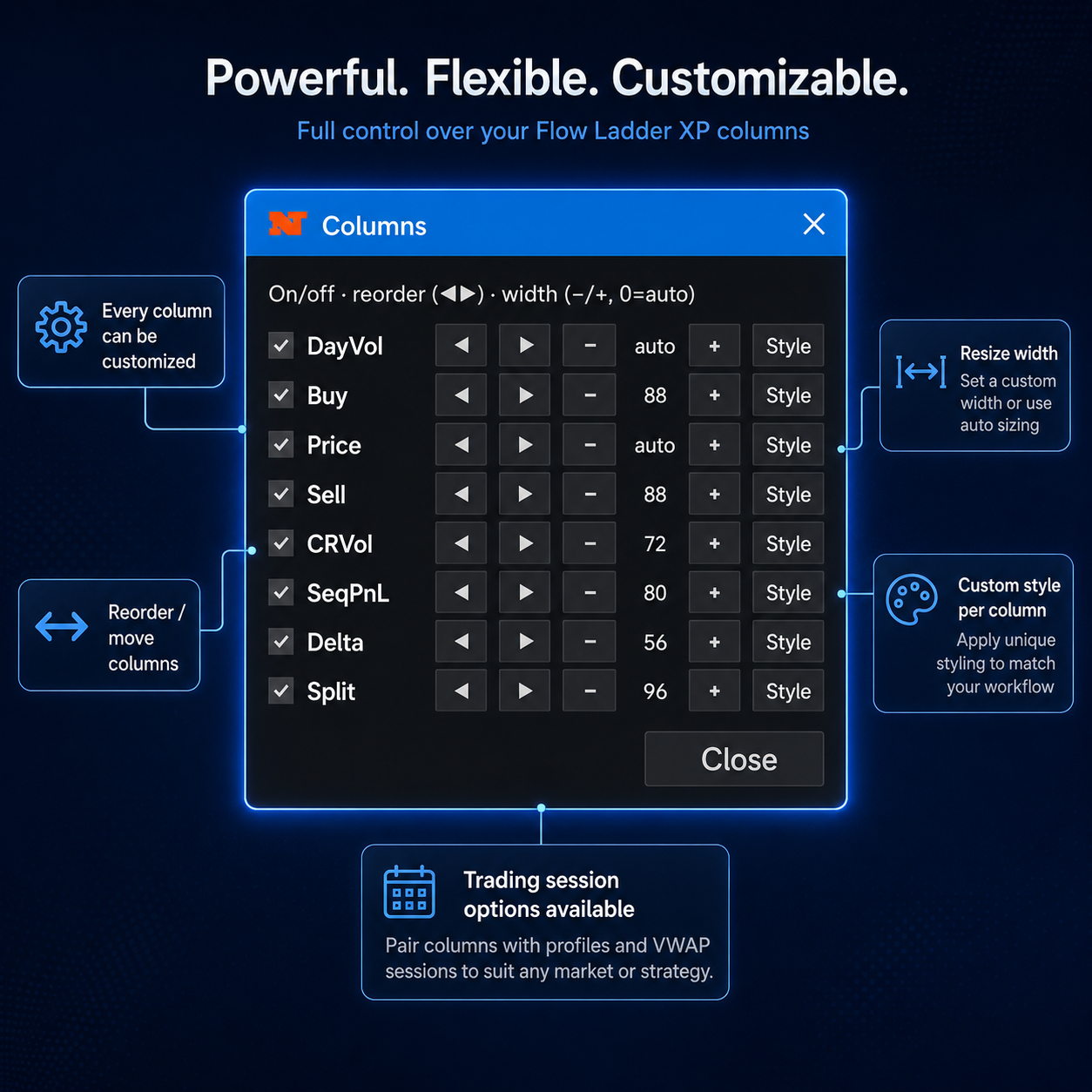
Resize, reorder, show and hide every column

Control width, order, visibility and individual styling. Apply session scope to suit the market or strategy.
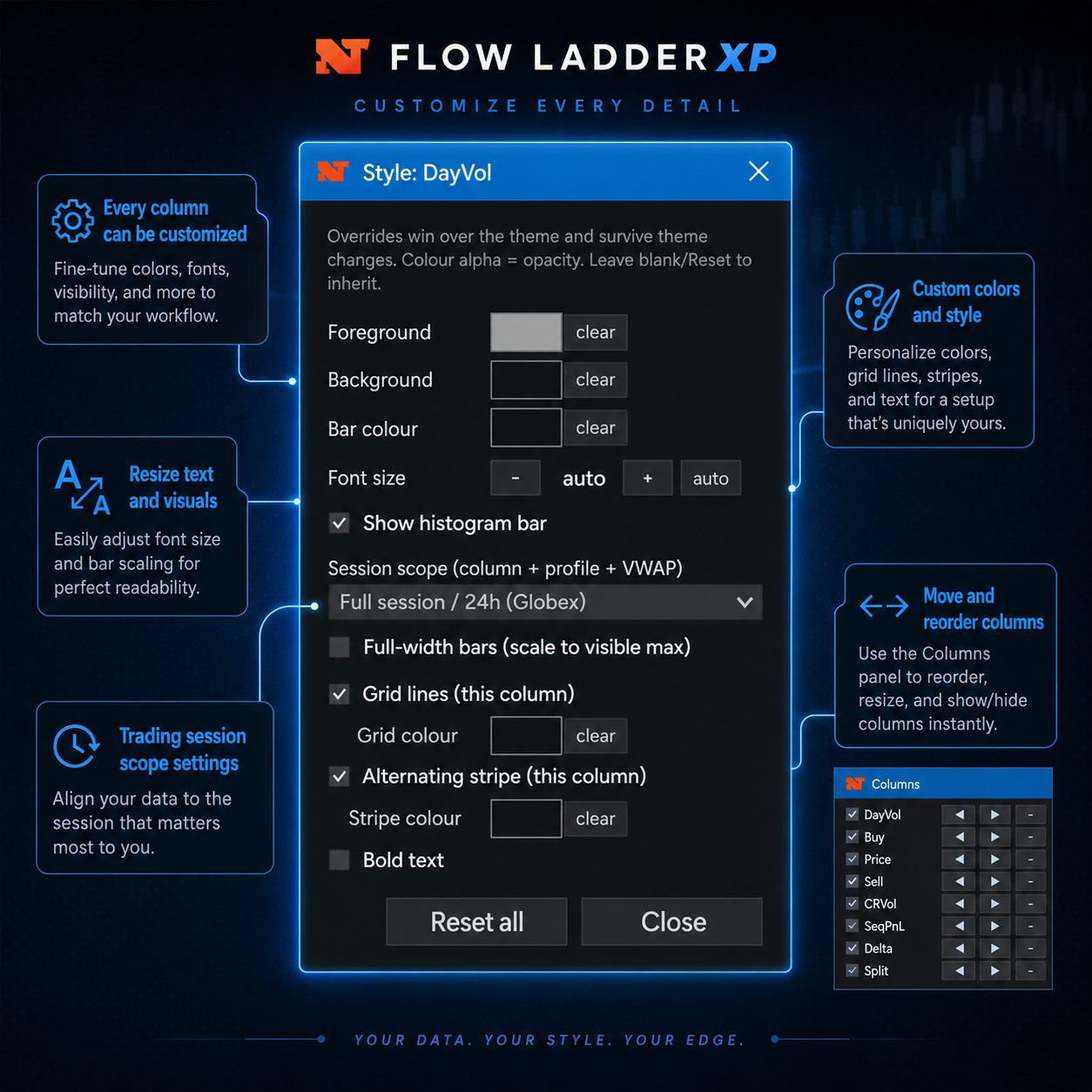
Flow Ladder XP column customization

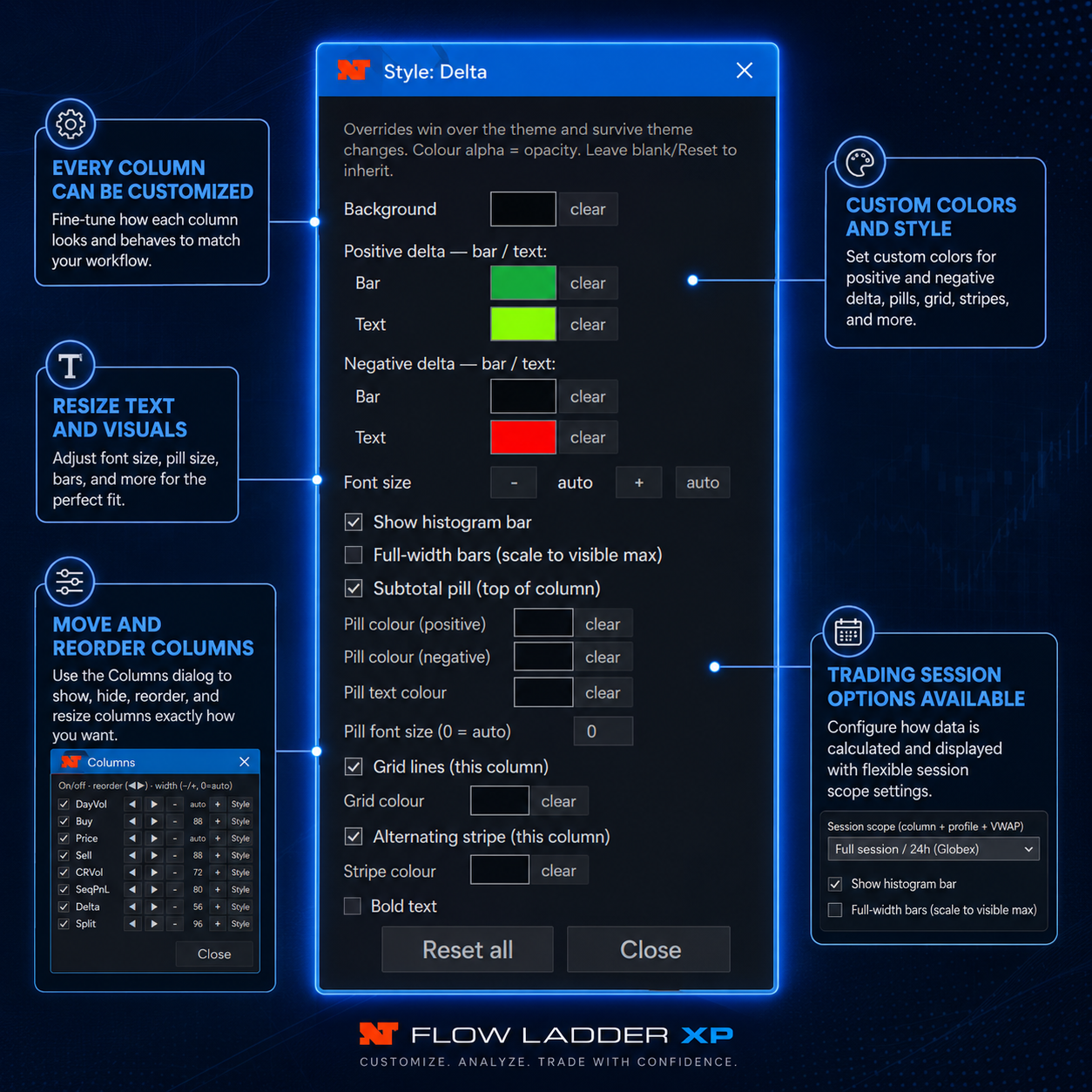
Fine-tune individual column styles

Adjust foregrounds, backgrounds, bar colours, fonts, histogram display, grid lines, stripe colours and visual scaling.
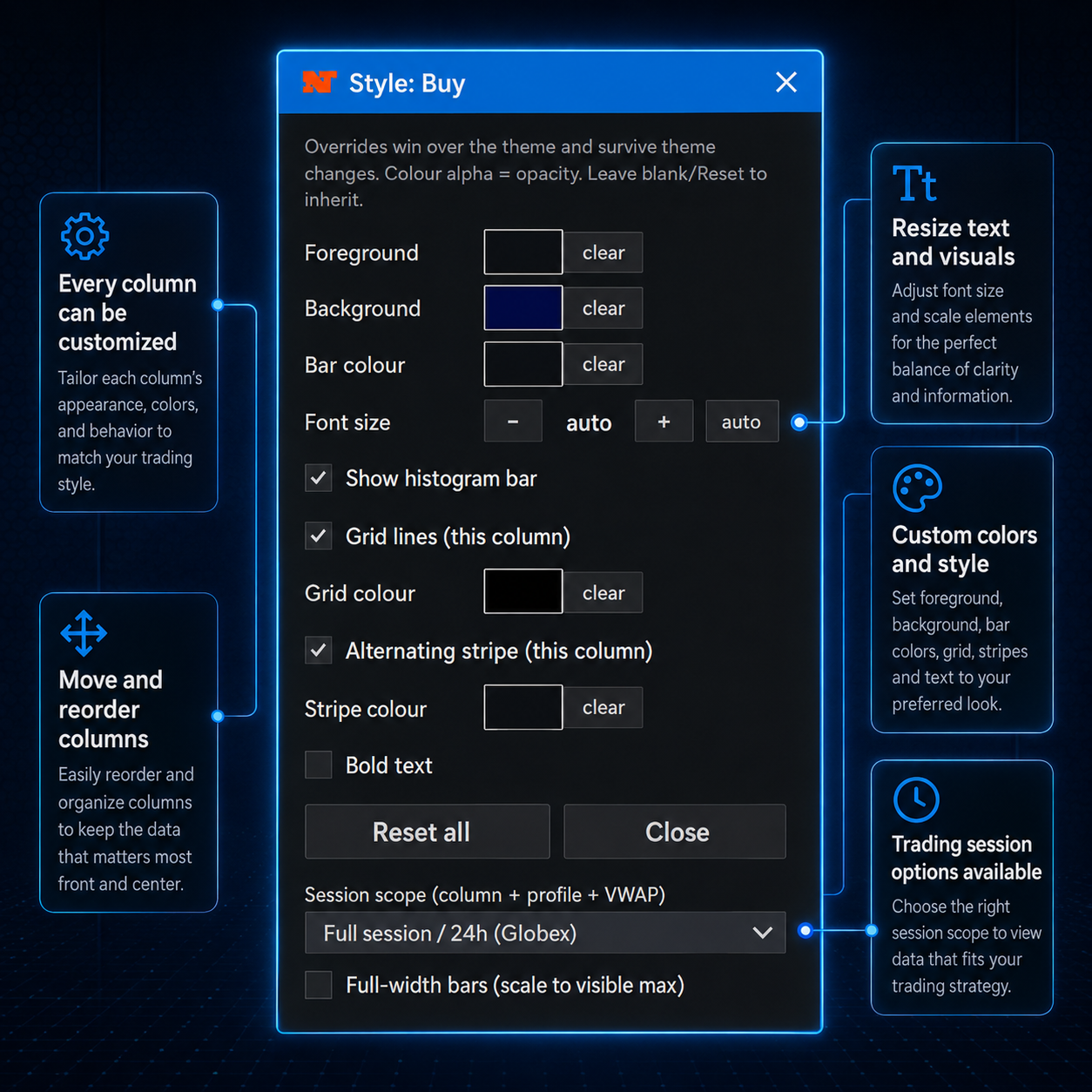
Flow Ladder XP DayVol style settings

Customize buy, sequence P&L and delta behaviour

Use independent settings for profit and loss fills, positive and negative delta, pills, text colours and session behaviour.
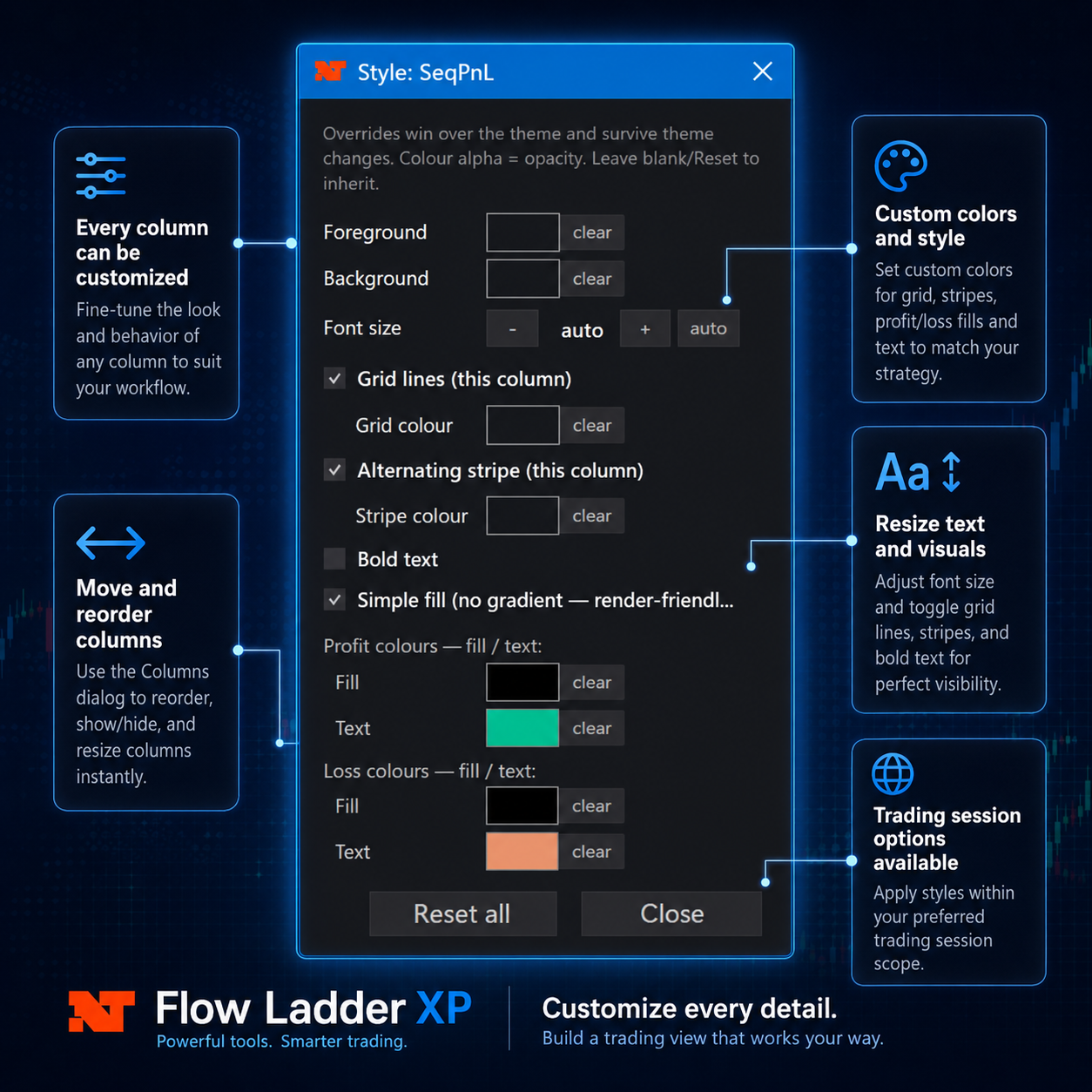
Flow Ladder XP delta customization
Themes, templates and workflow

Save the setup that works for you

Create reusable visual layouts and switch between them without rebuilding the DOM each time.

Theme palettes and saved templates

Choose a visual palette, save full layouts and quickly load different setups for instruments, sessions or personal preferences.
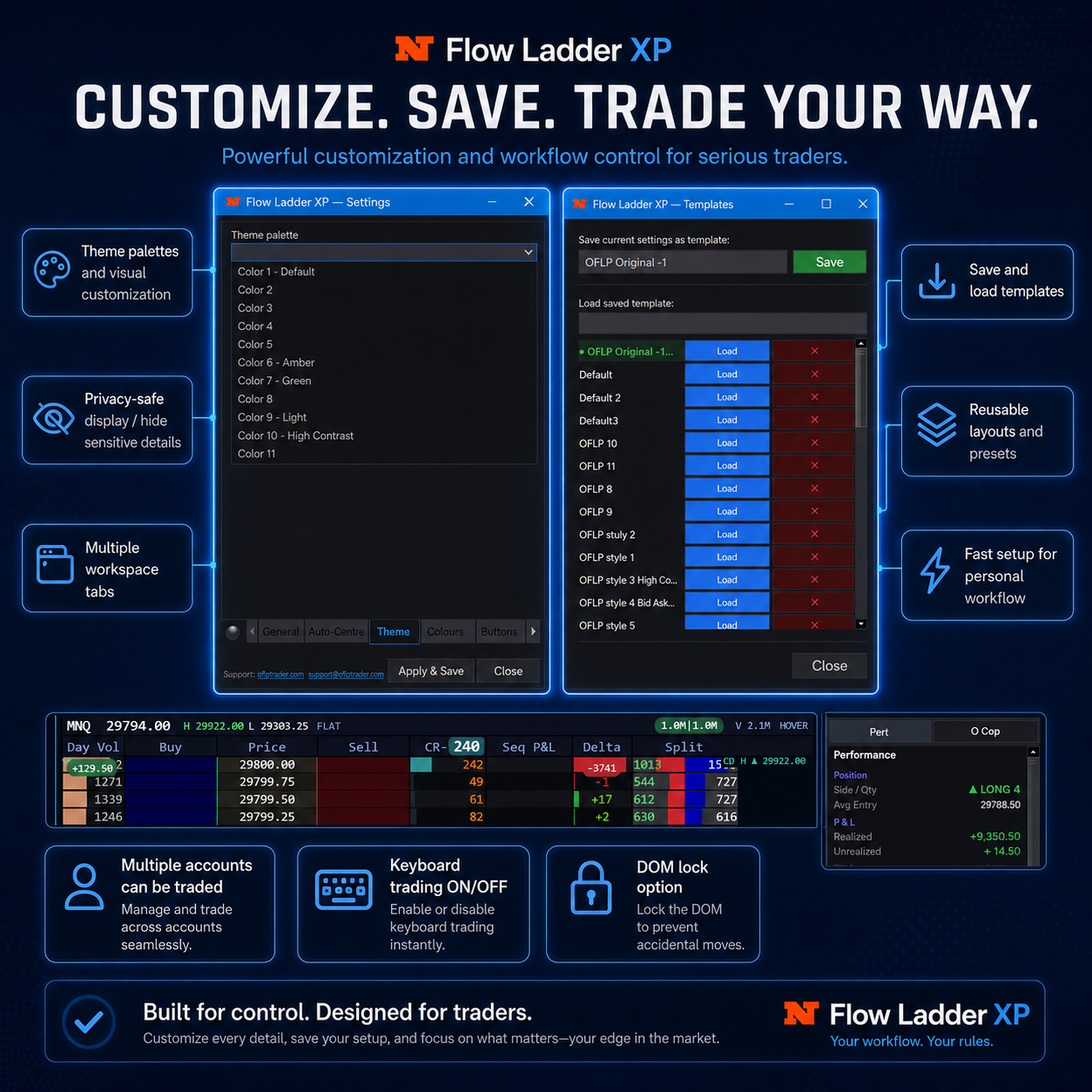
Flow Ladder XP settings and templates

Real in-platform template ideas

Dark classic, dark follow, light mode, teal, deep dark and professional MNQ layouts show how flexible the platform can be.
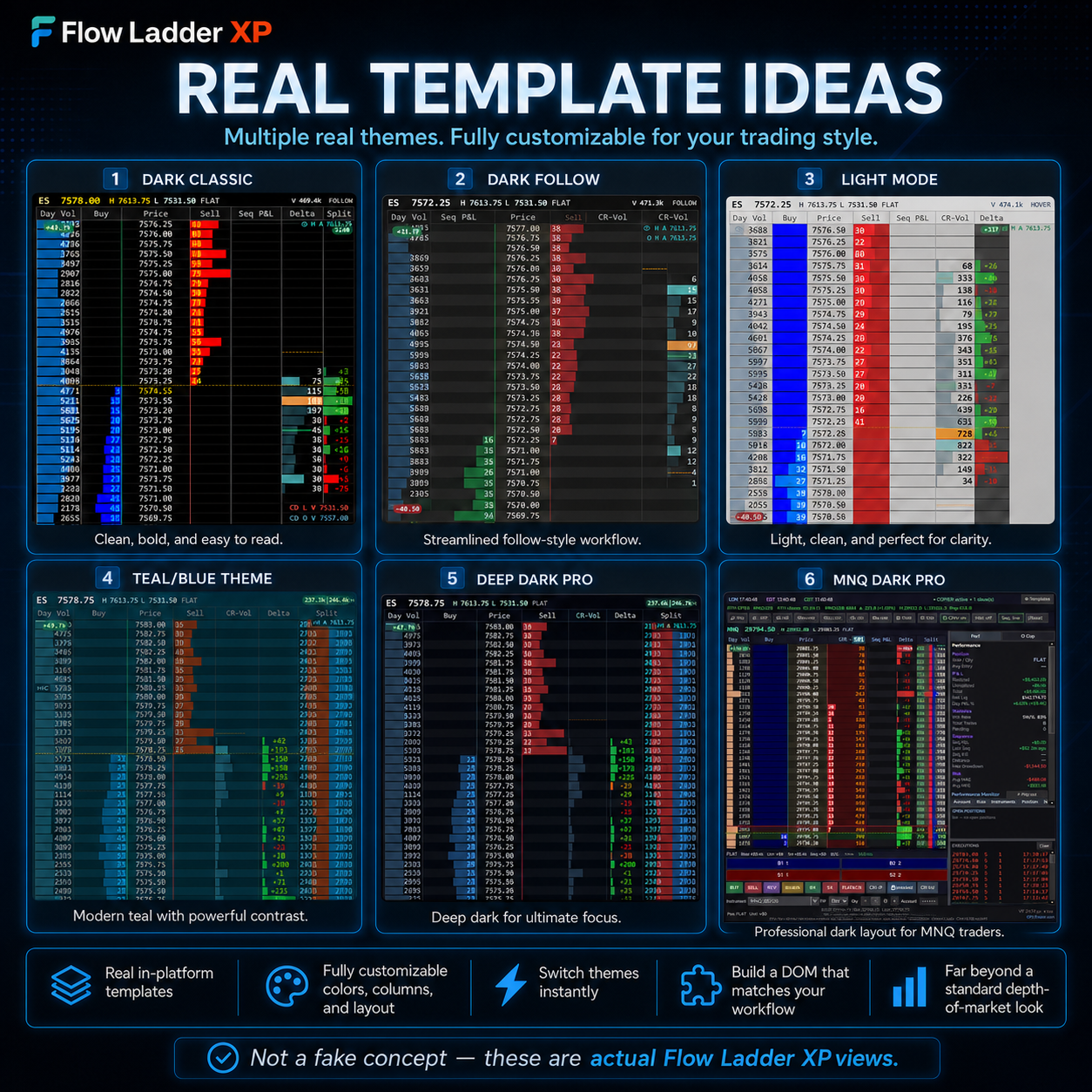
Real Flow Ladder XP templates

Quick instruments, accounts and multiple tabs

Switch instruments, move between supported accounts and organise different markets or workspaces using multiple tabs.
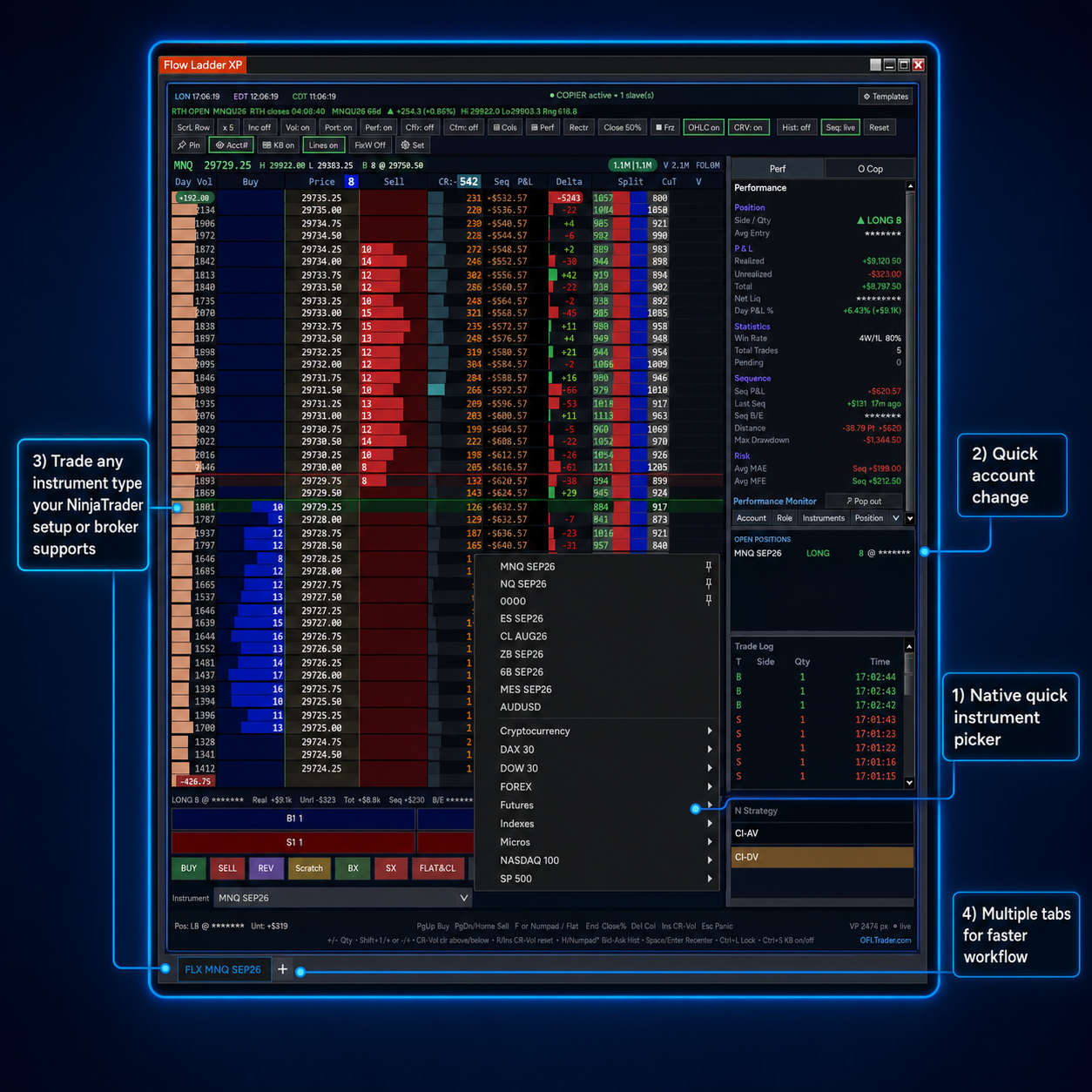
Flow Ladder XP quick instrument picker and tabs
Detailed views

Explore every part of XP

Click any image to enlarge it and inspect the platform more closely.
Ready to experience XP?

Take the next step

Now that you have seen what is inside Flow Ladder XP, try the complete platform inside NinjaTrader 8.

EVERYTHING AT YOUR FINGERTIPS

Powerful Controls.
Built for Fast Execution.

Essential DOM controls designed to keep your trading workspace fast, organised and fully customisable.

Private Workspace

Hide sensitive account and trading information instantly.

Multiple Tabs

Manage several markets and layouts from one workspace.

Multi-Account Control

Switch between connected accounts without disrupting flow.

Draggable Orders

Move working orders directly on the ladder with precision.

DOM Lock

Prevent accidental movement while actively trading.

Keyboard Trading

Enable or disable rapid keyboard-based order entry.

Flexible Columns

Show, hide and reorder columns around your strategy.

Resizable Interface

Adjust text, spacing and visuals for maximum clarity.

Custom Styling

Personalise colours and layouts to match your workflow.

Emergency Kill

Cancel active orders quickly when immediate control matters.

Everything at Your Fingertips

Built to Win the Tape

Speed, control and prop-ready risk — the essentials, in one ladder.

Renders per frame — zero flicker

One-click & draggable orders

Live performance monitor

Multi-account trade copier

Emergency kill switch

Timed shutdown for prop rules

Fully customizable DOM

Multi-tab, multi-instrument

© 2026 Flow Ladder XP. All rights reserved.
NinjaTrader® is a registered trademark of NinjaTrader Group, LLC. Flow Ladder XP is an independent third-party add-on.
Scroll to Top