Installing Flow Ladder XP
Here's what setup looks like for subscribers, start to finish. Your licence key arrives by email the moment you subscribe, and activation is instant — about a minute in total.
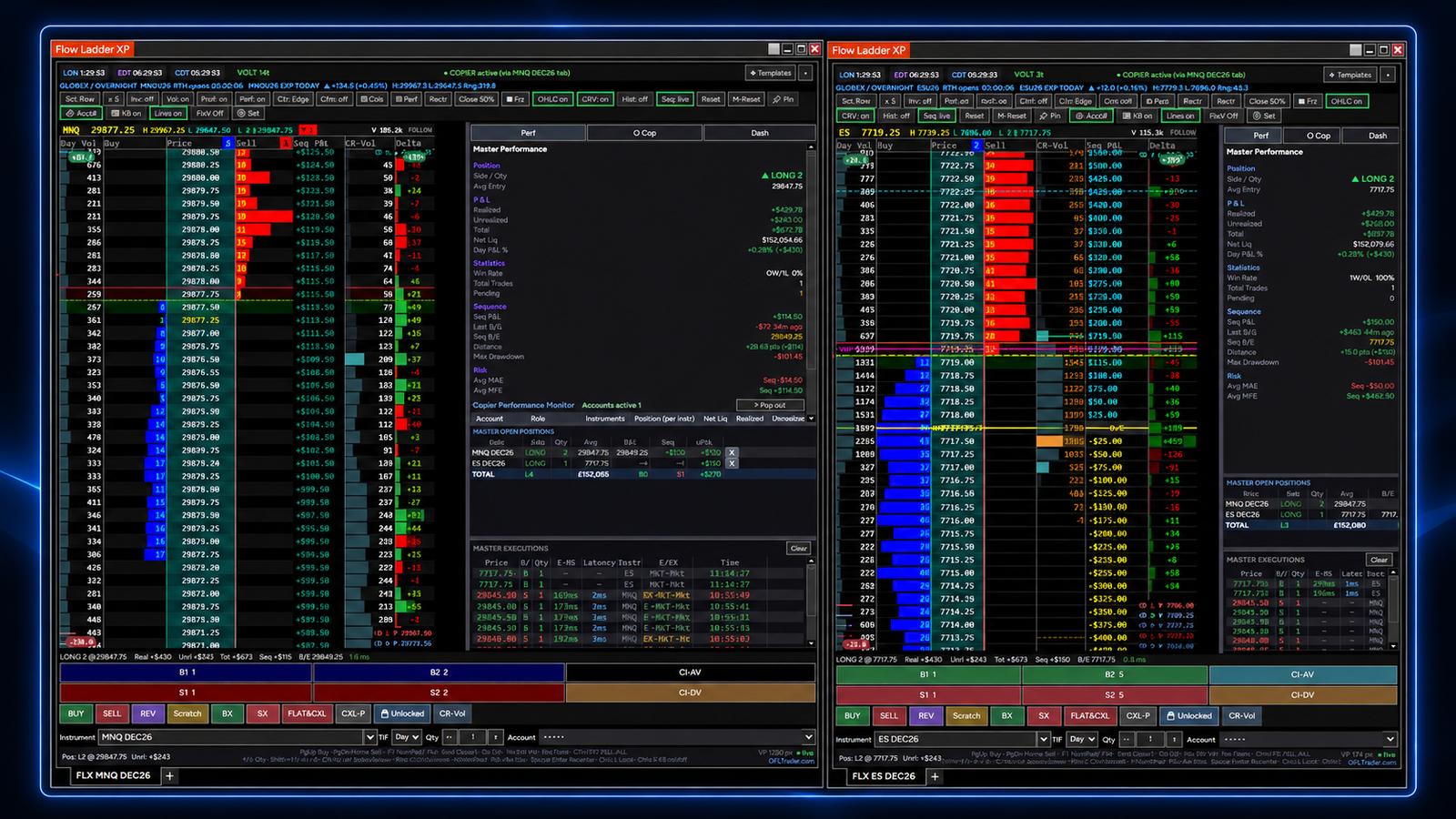 Demo · Flow Ladder XP
iHow activation works
Nothing manual — your key is issued automatically as soon as you subscribe.
1Install it
After you subscribe you'll land on a welcome page with your download. Unzip it, then run the installer.
-
Unzip the download
Right-click the zip → Extract All. Keep every file together in the same folder — the installer needs them side by side.
-
Run the installer
With NinjaTrader 8 closed, double-click
FlowLadderXP-Setup.exeand click through. It copies one file into your NinjaTrader 8 folder — no admin rights needed.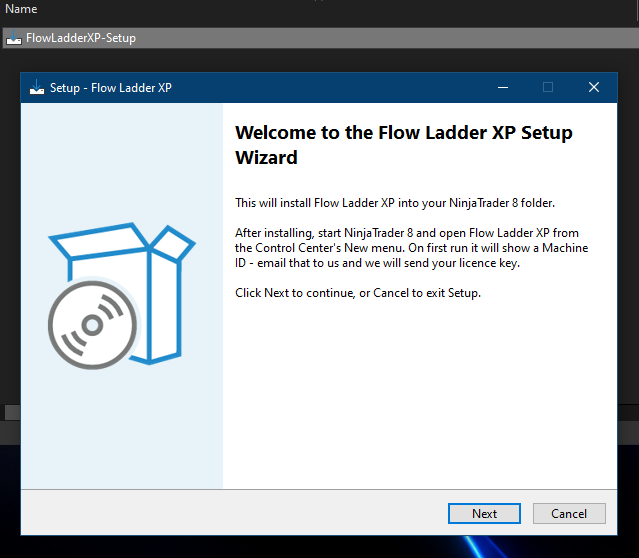
-
If Windows shows a blue warning, choose “Run anyway”
Because the installer is newly published, Windows may say “Windows protected your PC.” Click More info, then Run anyway. This only appears the first time. If your antivirus blocks it, use the
Install Flow Ladder XP.batin the same folder instead.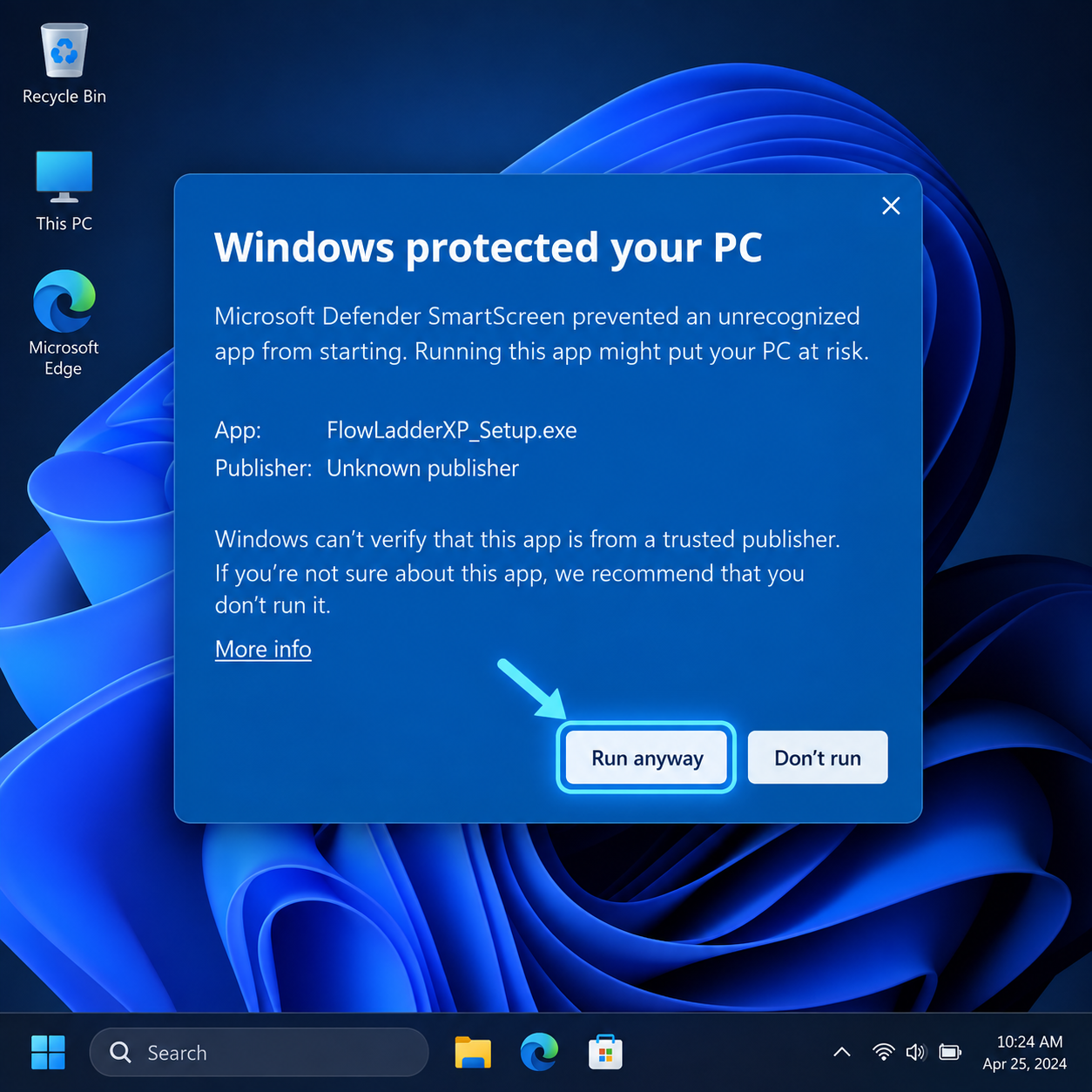
2Open & activate
Enter the email you paid with and the key from your email — that's the whole activation.
-
Open Flow Ladder XP
Start NinjaTrader 8. In the Control Center, open the New menu and choose Flow Ladder XP. The activation window appears the first time.
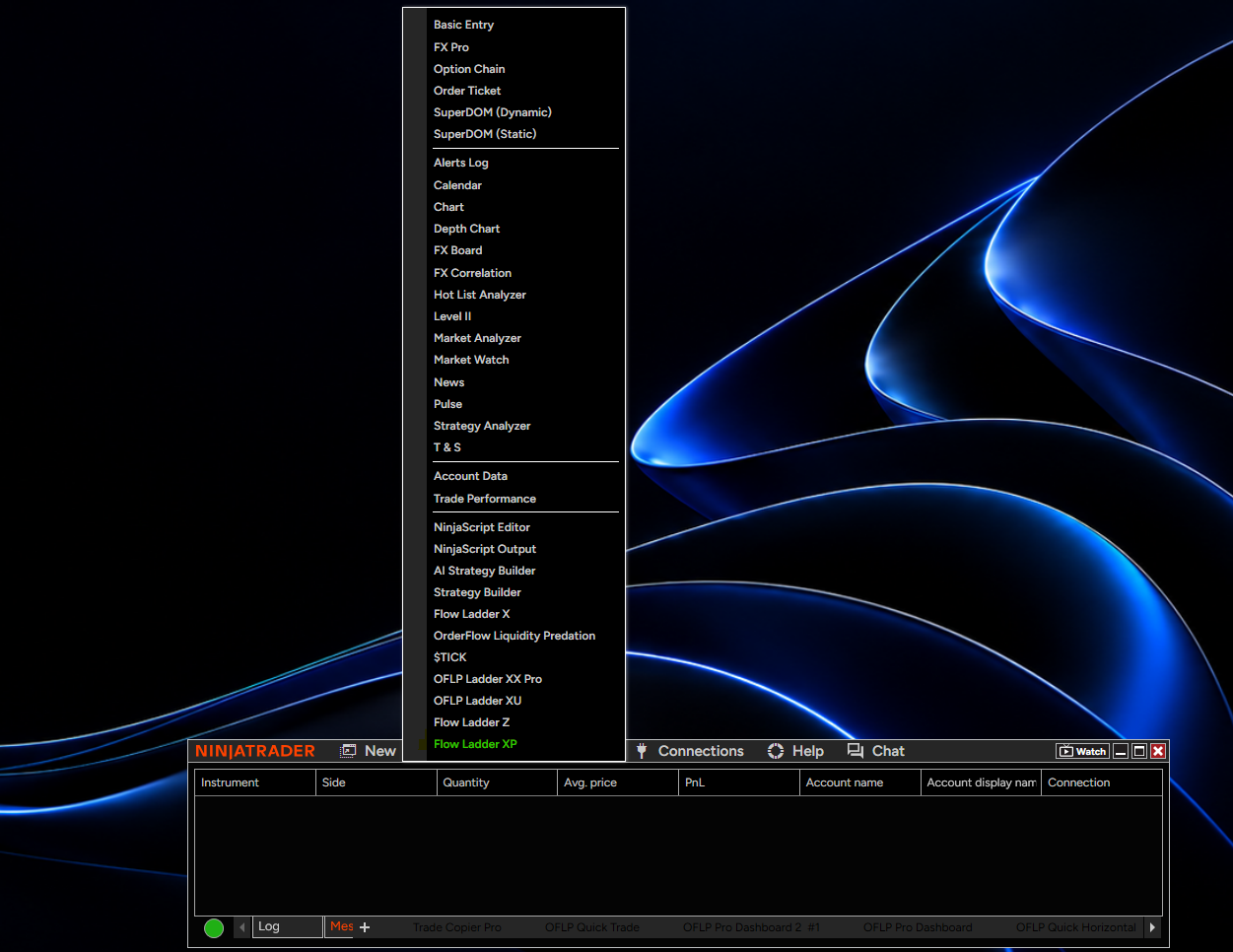
-
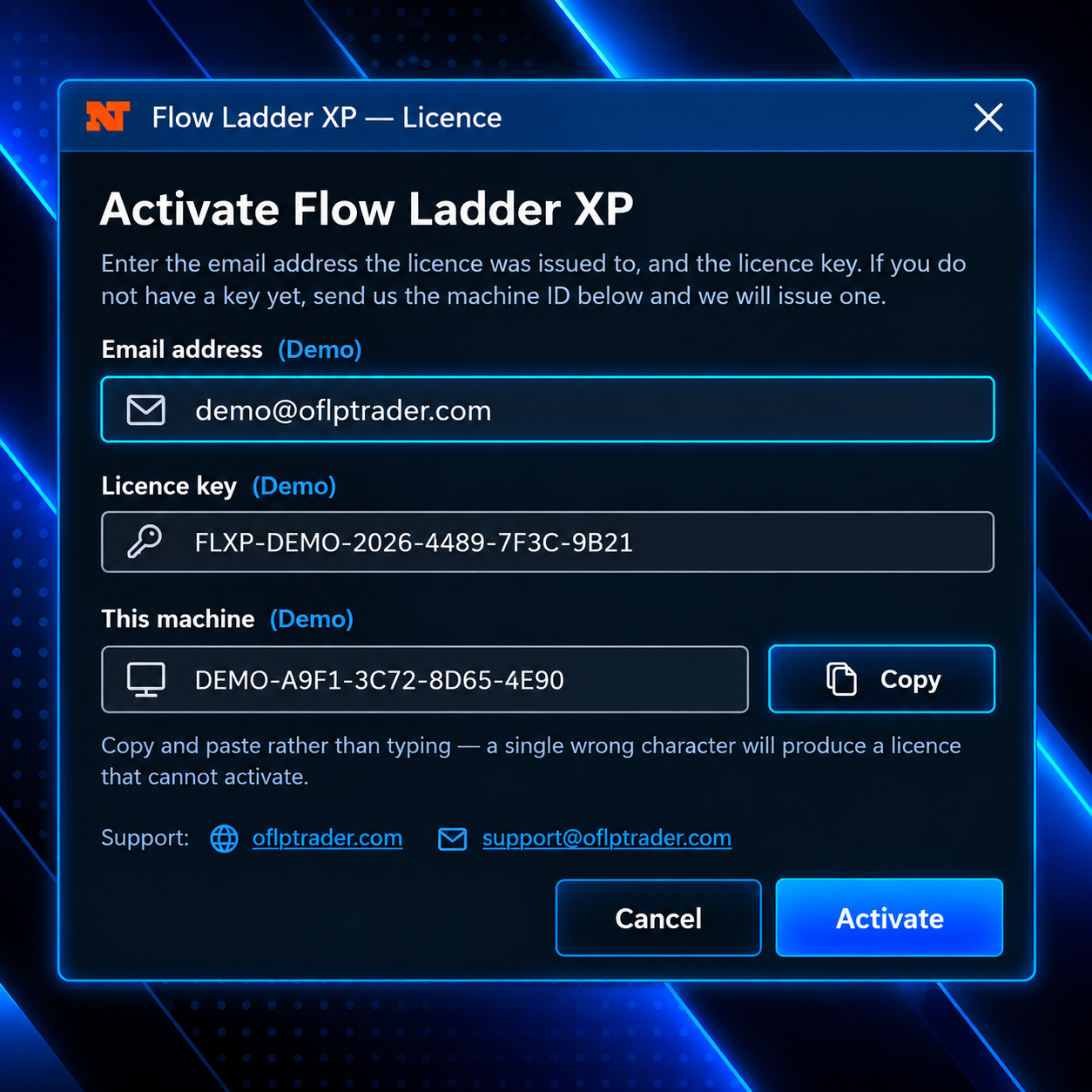
Enter your email and licence key
Enter the email you paid with and your licence key from the welcome email, then click Activate. Paste the key rather than typing it — one wrong character will stop it activating, and the email must match the one on your subscription.
-
That's it — start trading
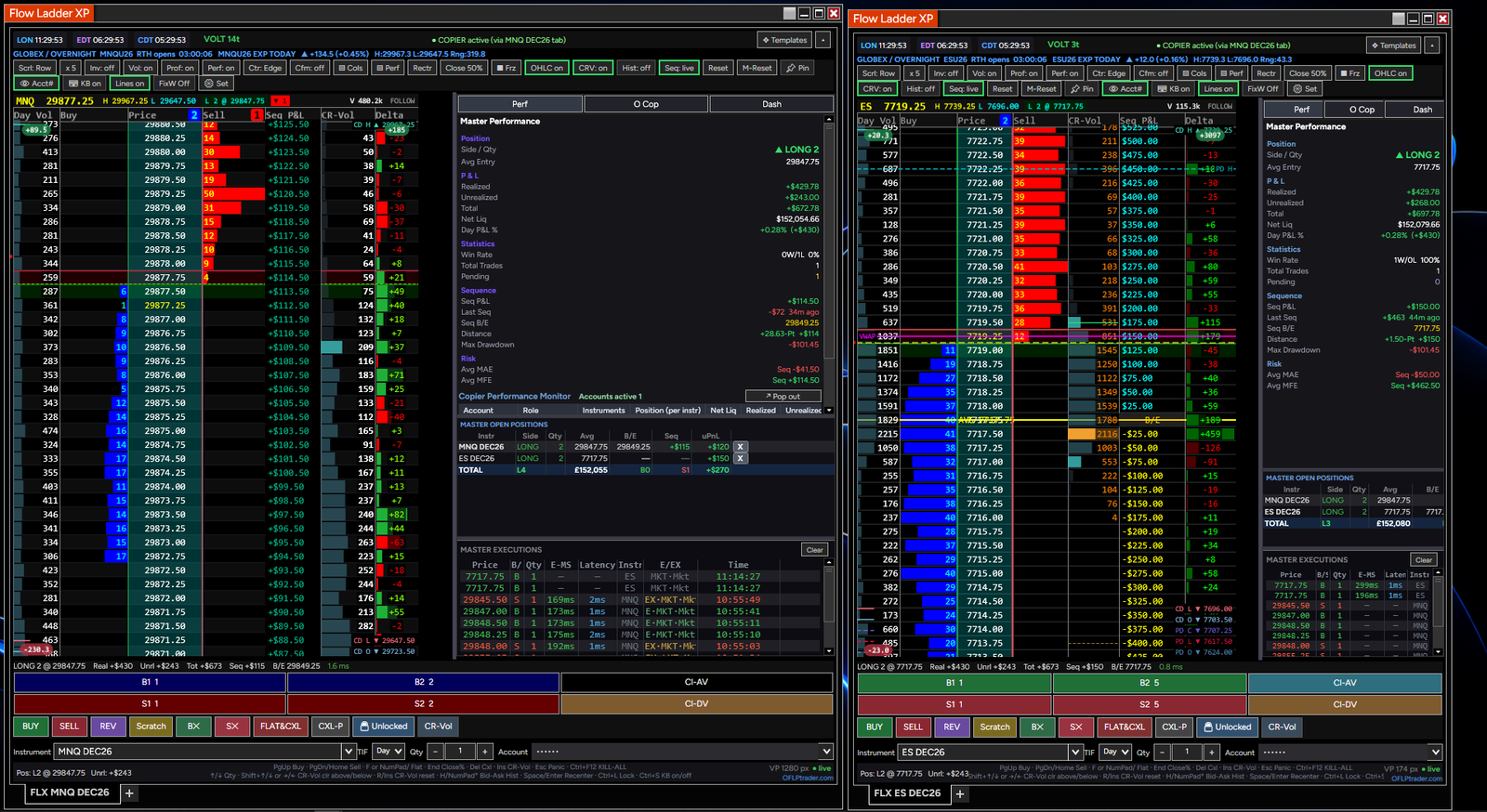
The ladder activates this machine automatically and opens. To run it on a second computer, install there and enter the same email and key. Settings and theme are all yours from here.
✦Manage your subscription
Update your card, view invoices, or cancel — any time, in one place.
Your customer portal
Update your payment details, download your invoices, or cancel whenever you like. If you cancel, no further payments are taken and you keep access to the end of the period you've already paid for. The same “Manage subscription” link is in your licence email.